Parallel Cucumber BDD in Java: Clone It, Docker It, Ship It
A beginner-friendly, slightly unhinged tour of cucumberBDDParallel — parallel BDD, web-pattern examples, MCP exploration, Docker one-liner, and enough structure to steal for your own app.
Press Listen. A recorded voice reads the article, lights the current word, and keeps that word in view.
How listen mode works
The recording is a neural voice, not your browser's speech engine. The word being spoken lights up from the audio clock, including after you pause, drag the bar, or change speed. If you chose UK and only the US recording exists, you hear the US voice. Leaving the page stops playback.
Your Cucumber suite is running scenarios one at a time. Chrome opens. Chrome closes. Chrome opens again. Somewhere, a CI meter spins like a slot machine nobody asked for.
BDD was supposed to keep tests readable. Parallel runs were supposed to keep feedback fast. In Java, those two goals often stare at each other across a conference table until someone says “we’ll revisit in Q4” and Q4 never comes.
I built cucumberBDDParallel because I got tired of that meeting. It’s a small reusable core, a real working example (Google, not example.com), and enough structure that you can clone it, run it, and actually understand what’s happening before lunch.
Pop quiz, hotshot (Speed): can you run parallel browser BDD without writing your own thread pool? If you nodded, keep reading anyway — the -DskipTests flag has fooled smarter people.
What you’re actually getting
Two core Maven modules — plus example cookbooks you can run without touching google.com.
| Module | What it does |
|---|---|
framework/ |
Reusable JAR: browser hooks, waits, BasePage, interaction helpers, optional AI locator healing |
example-tests/ |
Working Cucumber + Selenium demo against google.com — copy the structure |
examples/ai-healing-demo/ |
Deterministic broken-locator demo (mock LLM in CI) |
examples/web-patterns-demo/ |
Tables, drag-drop, upload/download, PDF, QR, OCR — local fixtures only |
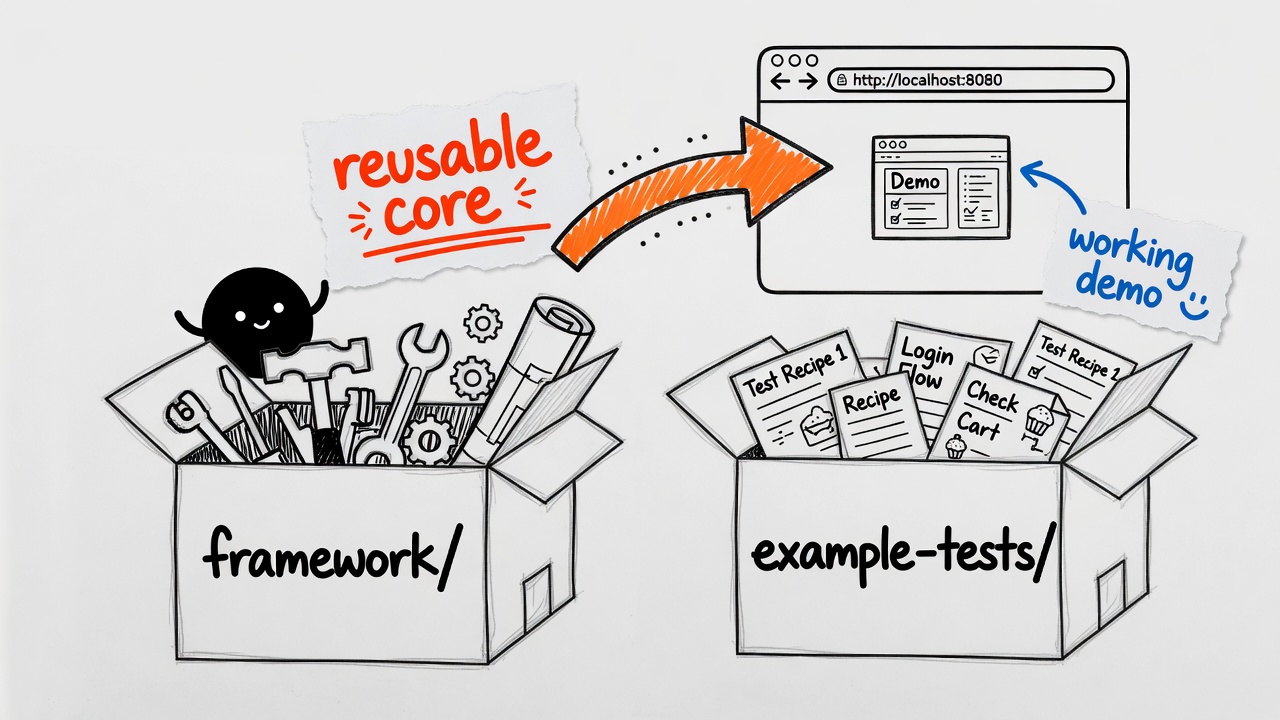 Hand-drawn style illustration — steal the recipe, not the restaurant.
Under the hood: Cucumber 7.34.4, Selenium 4.45.0, TestNG 7.12.0, and the Cucable plugin to split scenarios so they can run side by side instead of forming a polite queue.
Optional AI healing calls your chosen LLM when a @FindBy locator dies after a markup change — Anthropic BYOK, OpenAI-compatible BYOK, or local Ollama. It’s off by default. You don’t need any API key to learn the framework — save that plot twist for later.
flowchart LR
    subgraph framework["framework/ (reusable JAR)"]
        DM[DriverManager ThreadLocal]
        SU[Setup / TearDown hooks]
        BP[BasePage + Wait]
        AI[AI locator healing optional]
    end
    subgraph example["example-tests/ (your cookbook)"]
        FE[.feature files]
        ST[Step definitions]
        PO[Page objects]
        CU[Cucable + Failsafe runners]
    end
    example -->|Maven dependency| framework
    FE --> ST --> PO --> DM
    CU --> FE
Prerequisites (the short list)
- JDK 21
- Maven 3.9+ — or just use the bundled
mvnw/mvnw.cmdand pretend Maven isn’t installed - Chrome or Firefox — WebDriverManager fetches the driver. Life finds a way (Jurassic Park).
Or skip local installs for now and read through the rest of this post first. You can always come back and run the Maven commands once JDK and a browser are in place.
Step 1: Clone and run (local)
git clone https://github.com/veeresh-bikkaneti/cucumberBDDParallel.git
cd cucumberBDDParallel
Linux/macOS:
./mvnw clean verify -Pintegration-test -DskipTests -pl example-tests -am
Windows:
.\mvnw.cmd clean verify -Pintegration-test -DskipTests -pl example-tests -am
Firefox enjoyers:
./mvnw clean verify -Pintegration-test -DskipTests -pl example-tests -am -Dbrowser=firefox
The -DskipTests mind-bender
This flag does not mean “skip all testing.” I know. The name is doing crimes.
It tells Maven Surefire to leave alone the hand-written HomePageTest and SearchTest runners during the test phase. Those are great for debugging one feature in your IDE. They’re not how the parallel pipeline runs in CI.
The real show is Cucable-generated runners executed by the Maven Failsafe Plugin during integration-test. There is no spoon — only phases (The Matrix).
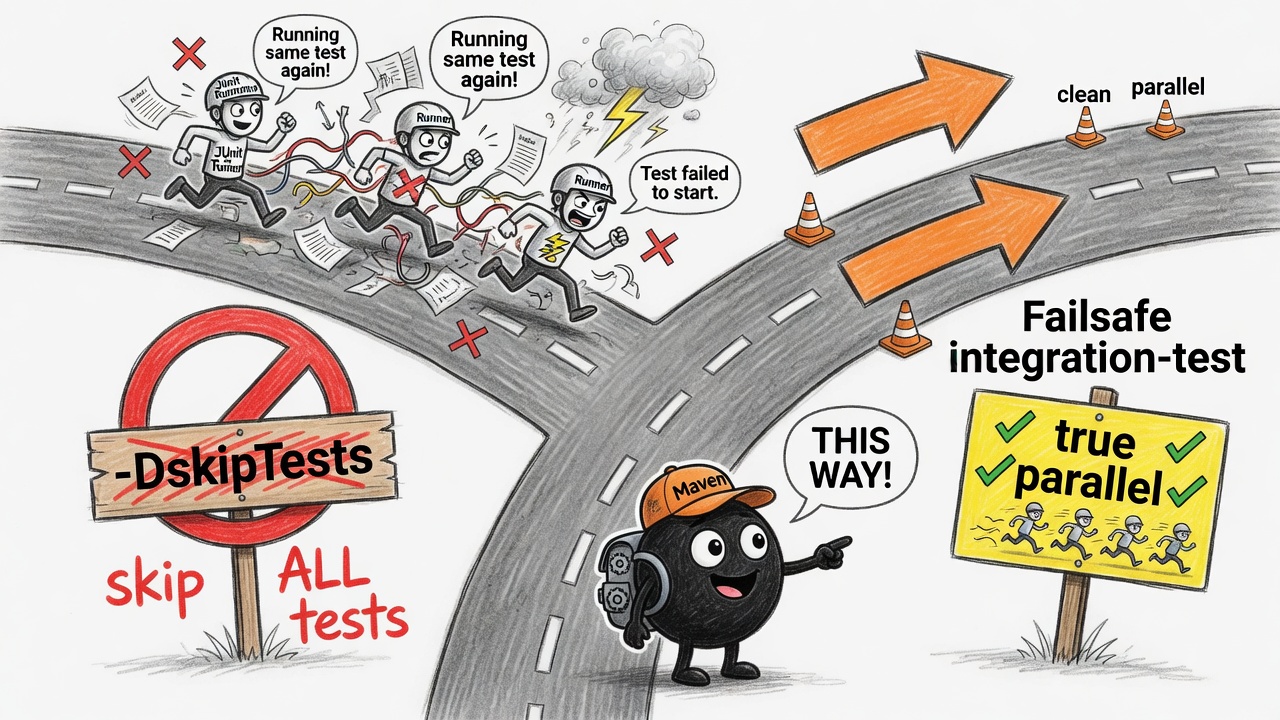
flowchart TD
    CMD["mvnw verify -Pintegration-test -DskipTests"]
    CMD --> SKIP["Surefire: skip HomePageTest / SearchTest"]
    CMD --> GEN["Cucable splits features"]
    GEN --> RUN["Failsafe: parallel *IT runners"]
    SKIP -.->|without flag| BAD["Surefire double-runs *Test classes"]
    RUN --> GREEN["Browsers do the Gherkin thing"]
Green Cucumber output means you won. The demo hits live google.com, so you need network access and a browser that isn’t decorative.
Step 2: Folder layout (don’t panic)
cucumberBDDParallel/
├── framework/          # Library you depend on
│   └── .../driver/     # Setup, TearDown, ThreadLocal DriverManager
│   └── .../page/       # BasePage
│   └── .../ai/         # Optional healing
└── example-tests/      # Copy this structure
    ├── features/
    ├── homepage/       # Page + steps
    └── runner/         # IDE-friendly single-feature runners
Three layers. Memorize these and you’ll survive most BDD conversations:
- Gherkin — what humans argue about in refinement
- Step definitions — thin glue
- Page objects — where Selenium actually touches the DOM
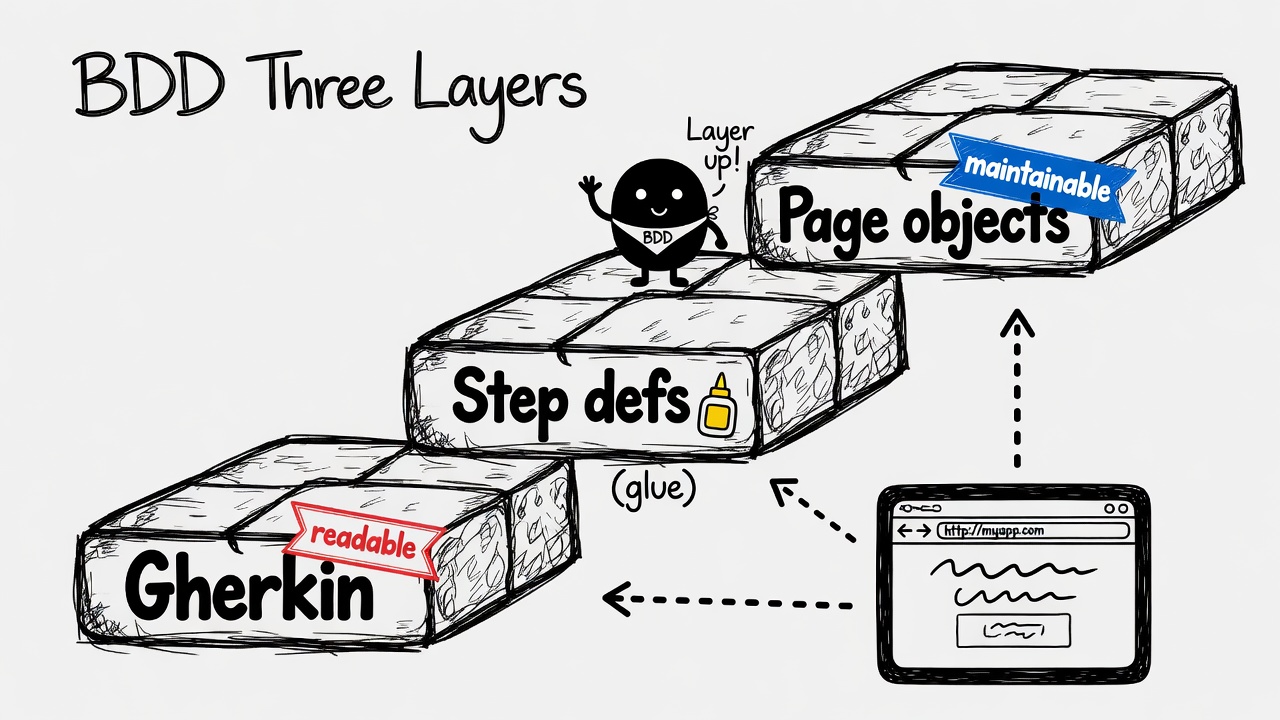
Cucumber’s step definition model exists for exactly this split. Readable scenarios. Maintainable automation. Revolutionary concept, somehow.
flowchart LR
    G["Gherkin .feature"] --> S["Step definitions"]
    S --> P["Page objects"]
    P --> B["Browser"]
Step 3: Read a feature file
example-tests/src/test/resources/features/Home_page.feature:
Feature: Home page

  Scenario Outline: Check page display
    Given A user navigates to HomePage "<countryCode>"
    Then Google logo is displayed
    And search bar is displayed

    Examples:
      | countryCode |
      | fr          |
      | com         |

  Scenario: Check title
    Given A user navigates to HomePage "fr"
    Then page title is "Google"
Scenario Outline = same flow, different data. Gherkin reads like English on purpose.
You don’t put Selenium in the feature file. If you do, a senior engineer will appear behind you like a horror-movie extra. No jump scare required; the disappointment is enough.
Step 4: Follow a step into code
HomePageSteps stays thin:
@Given("^A user navigates to HomePage \"([^\"]*)\"$")
public void aUserNavigatesToHomePage(String country) {
    this.homePage.goToHomePage(country);
}
HomePage extends BasePage:
@FindBy(css = "#hplogo")
private WebElement logo;

@FindBy(css = "input[name=q]")
private WebElement searchInput;
BasePage pulls the driver from DriverManager.get(). You don’t pass WebDriver through seventeen constructors like it’s a family heirloom.
Drop Setup and TearDown into your runner’s glue array and every scenario gets a fresh browser. TearDown quits the session and grabs a screenshot on failure — your mission, should you choose to accept it, leaves evidence behind (Mission: Impossible).
Step 5: How parallel actually works
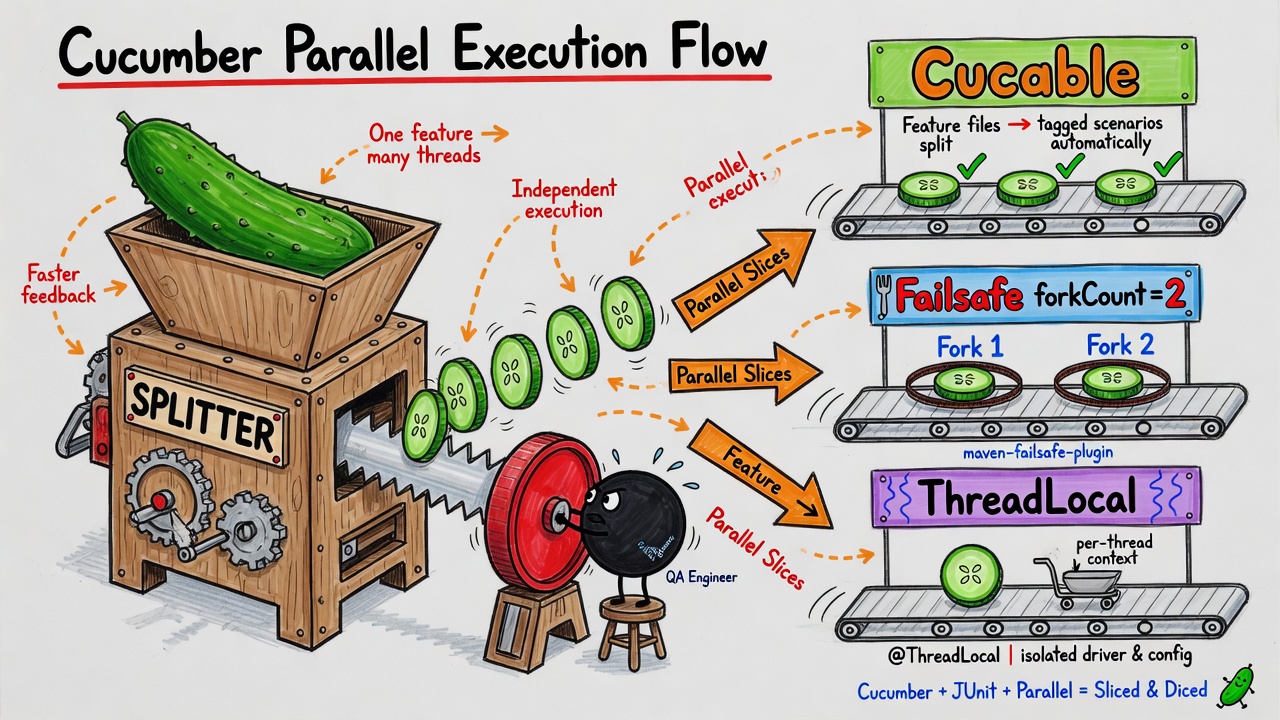
“Cucumber parallel” sounds like one checkbox. It isn’t. Three mechanisms hold hands:
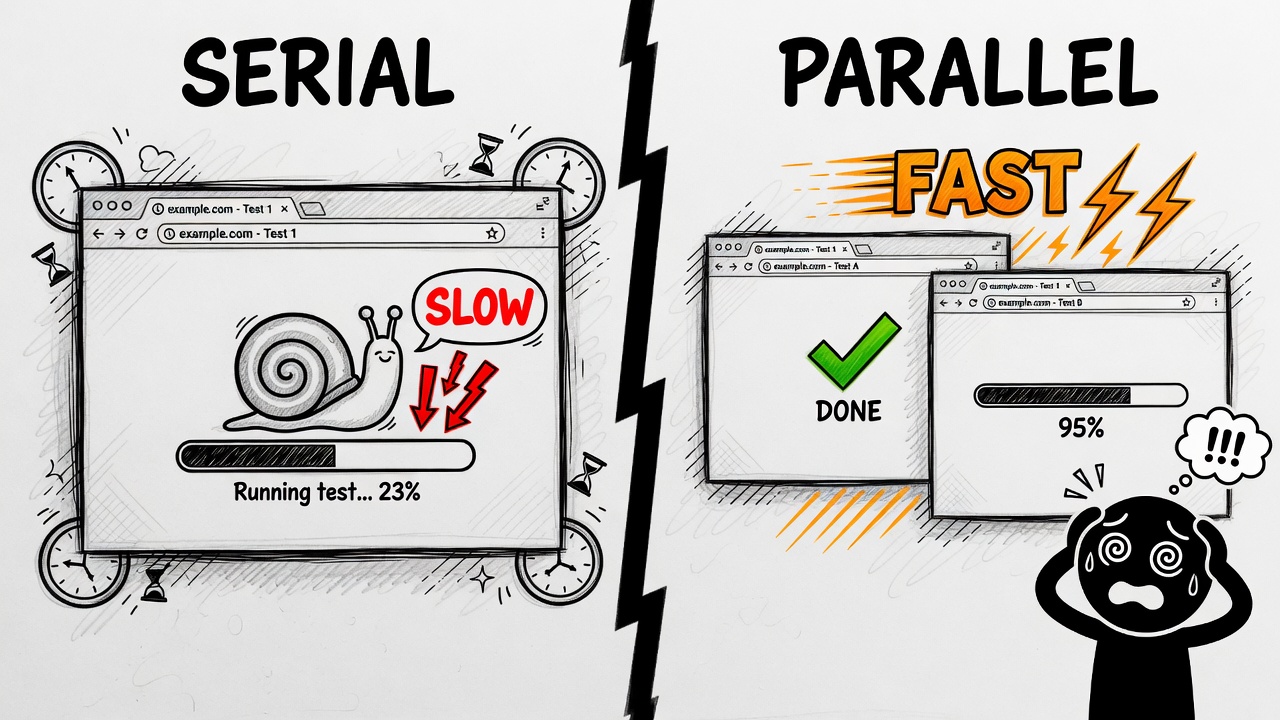
1. Cucable splits your features
At generate-test-resources, Cucable chops scenarios (and Scenario Outline rows) into individual feature files plus generated TestNG runners from cucable.template. parallelizationMode=features means each piece can run on its own.
One browser to rule them all? Not anymore (The Lord of the Rings).
2. Failsafe forks JVMs
example-tests/pom.xml sets Failsafe forkCount to 2. Two JVM processes can chew through generated *IT runners simultaneously. More forks, more speed, more RAM sacrificed to the performance gods.
3. ThreadLocal keeps browsers from cross-contaminating
DriverManager stores each thread’s WebDriver in a ThreadLocal. Without that, parallel runs produce the classic “why did my test click the wrong tab?” bug. Don’t cross the streams (Ghostbusters).
private static final ThreadLocal<WebDriver> DRIVER = new ThreadLocal<>();
DriverManagerTest proves two threads get two drivers. That’s the safety net you want before trusting parallel BDD in CI. I can do this all day — but I’d rather the tests do it for me (Captain America: Civil War).
flowchart TD
    SRC["Source .feature files"] --> CUC["Cucable parallel goal"]
    CUC --> GF["Single-scenario features"]
    CUC --> GR["Generated *IT runners"]
    GR --> FS["Failsafe forkCount=2"]
    FS --> JVM1["JVM fork 1"]
    FS --> JVM2["JVM fork 2"]
    JVM1 --> TL1["ThreadLocal drivers"]
    JVM2 --> TL2["ThreadLocal drivers"]
sequenceDiagram
    participant M as Maven verify
    participant C as Cucable
    participant F as Failsafe
    participant S as Setup hook
    participant D as DriverManager

    M->>C: split features
    C-->>M: *IT runners
    M->>F: integration-test
    F->>S: @Before each scenario
    S->>D: set WebDriver on thread
Step 6: Debug one feature in your IDE
Don’t want the full parallel circus? Use the plain runners:
HomePageTest→Home_page.featureSearchTest→Search.feature
Right-click, run, breathe. Single-threaded. No Cucable. Perfect for learning. CI uses the generated runners, not these — same way movie trailers show the good scenes and skip the credits.
Step 7: Steal the framework for your app
When you’re ready to aim at your own AUT instead of Google:
./mvnw -pl framework -am install
<dependency>
    <groupId>com.cucumberbddparallel</groupId>
    <artifactId>framework</artifactId>
    <version>1.0-SNAPSHOT</version>
</dependency>
Then: extend BasePage, add Setup/TearDown to glue, copy the Cucable + Failsafe bits from example-tests/pom.xml. example-tests is a cookbook, not a dependency you’ll drag into production like an overstuffed suitcase.
flowchart LR
    CLONE[Clone repo] --> RUN[Run locally with mvnw]
    RUN --> SWAP[Point at your app]
    SWAP --> INSTALL[Install framework JAR]
    INSTALL --> OWN[Your features + pages]
Optional: AI self-healing locators
Locator breaks after a CSS rename? The framework can send page HTML to an LLM, get a new selector, retry once. These aren’t the droids you’re looking for — until the second try (Star Wars).
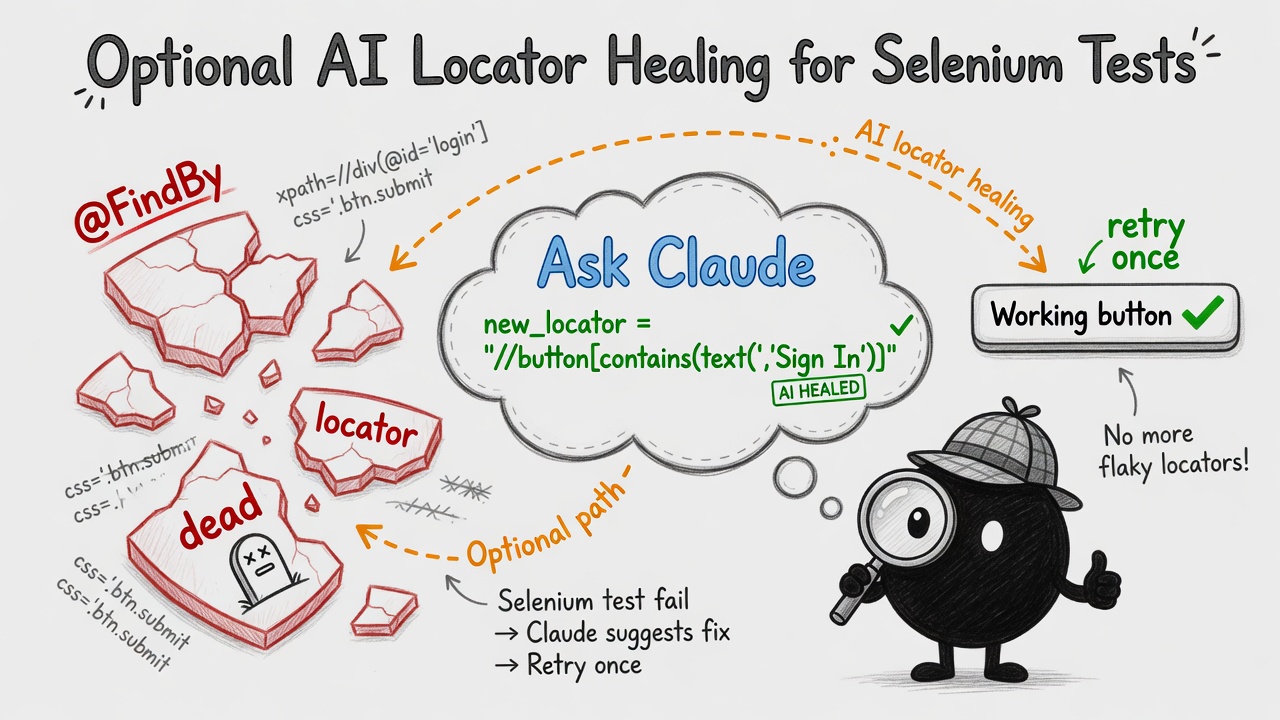
You pick the provider — nothing is locked to Anthropic. Set AI_HEALING_PROVIDER and your credentials:
# Anthropic BYOK
export AI_HEALING_PROVIDER=anthropic
export AI_HEALING_API_KEY=sk-ant-...

# OpenAI-compatible BYOK (OpenAI, Azure, gateways)
export AI_HEALING_PROVIDER=openai
export AI_HEALING_API_KEY=sk-...

# Local Ollama (no cloud key)
export AI_HEALING_PROVIDER=ollama
export AI_HEALING_MODEL=llama3.2

./mvnw clean verify -Pintegration-test -DskipTests -pl example-tests -am
Legacy ANTHROPIC_API_KEY still works for Anthropic. Full reference: docs/AI_HEALING.md.
Force off:
-Dai.healing.enabled=false
My advice: learn parallel BDD and page objects first. Add healing when broken locators — not broken tests — are your bottleneck. Healing a bad assertion is like putting sunglasses on a broken leg. Stylish. Ineffective.
flowchart TD
    A["@FindBy lookup"] --> B{Found?}
    B -->|Yes| C[Continue]
    B -->|No, healing off| D[Fail]
    B -->|No, healing on| E[LLM suggests selector]
    E --> F{Retry works?}
    F -->|Yes| C
    F -->|No| D
Step 8: Web patterns cookbook (local fixtures)
Not every lesson needs live google.com. The examples/web-patterns-demo module spins up a tiny HTTP server on localhost and exercises the UI patterns that show up in almost every enterprise app — without the “works on my machine, cries in CI” energy.
| Demo test | What it proves | Framework helper |
|---|---|---|
TablePatternsTest |
Read grid headers and rows | TableHelper |
DragDropTest |
Move cards between lanes | DragDropHelper |
FileUploadDownloadTest |
Upload via hidden input + download to a configured folder | FileUploadHelper |
PdfValidationTest |
Pull text from a PDF with PDFBox | — |
QrCodeTest |
Decode a QR payload from a screenshot with ZXing | — |
OcrValidationTest |
OCR invoice text (Tesseract — Docker profile) | — |
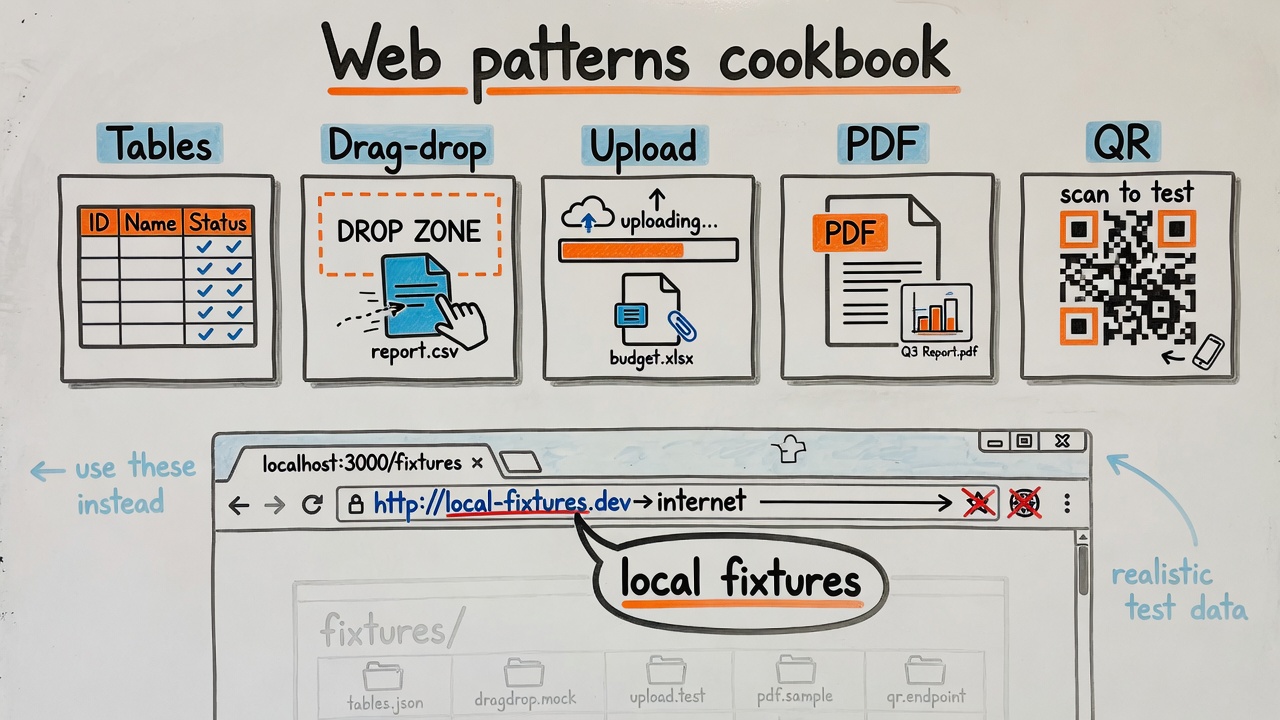 Local fixtures. No API keys. No praying to the CDN gods.
Run the whole module:
./mvnw -pl examples/web-patterns-demo -am test
Windows:
.\mvnw.cmd -pl examples/web-patterns-demo -am test
OCR needs Tesseract on the PATH (the Docker image installs it):
./mvnw -pl examples/web-patterns-demo -am test -Pocr-demo
Copy the pattern into your own Cucumber module: keep Gherkin readable, put Selenium in page objects, and lean on the helpers in framework.interaction instead of reinventing table-parsing XPath from 2014.
Step 9: MCP Selenium — let an agent explore, you commit the BDD
MCP is how IDE agents get tools. Angie Jones’ mcp-selenium gives an agent a real browser — navigate, click, read DOM — while your repo stays the source of truth for step definitions and CI.
Workflow I actually use:
- Point MCP at the local fixture routes from
web-patterns-demo(seedocs/MCP_PLAYBOOK.md). - Let the agent poke at
/tables.html,/drag-drop.html,/upload.htmland propose selectors. - Translate the good ideas into Gherkin + page objects — never leave raw MCP calls in CI.
Example Cursor / Claude Desktop config (template also in the repo):
{
  "mcpServers": {
    "selenium": {
      "command": "npx",
      "args": ["-y", "@angiejones/mcp-selenium"]
    }
  }
}
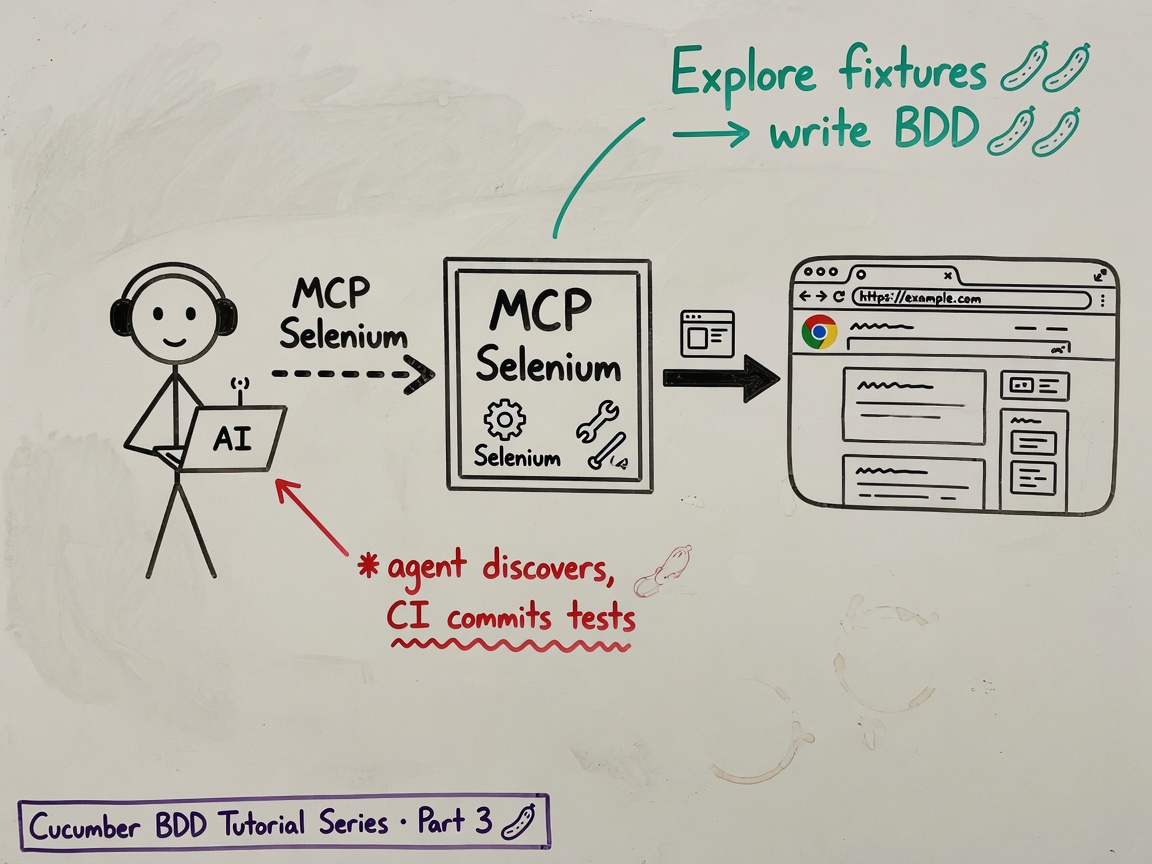
Agents are great at discovery. They’re terrible at owning your regression suite. MCP is the reconnaissance drone; Cucumber is the army.
Step 10: Docker — one command, all demos
Don’t want Chrome and Maven on your laptop today? Fair. The repo ships a Dockerfile and docker-compose.yml that run the example modules headlessly:
docker compose build
docker compose run --rm cucumber-examples
That runs ai-healing-demo (mock) and web-patterns-demo inside a container with Chrome baked in. OCR optional profile:
docker compose --profile ocr run --rm cucumber-examples-ocr
Full google.com integration (network required):
docker compose --profile integration run --rm cucumber-integration
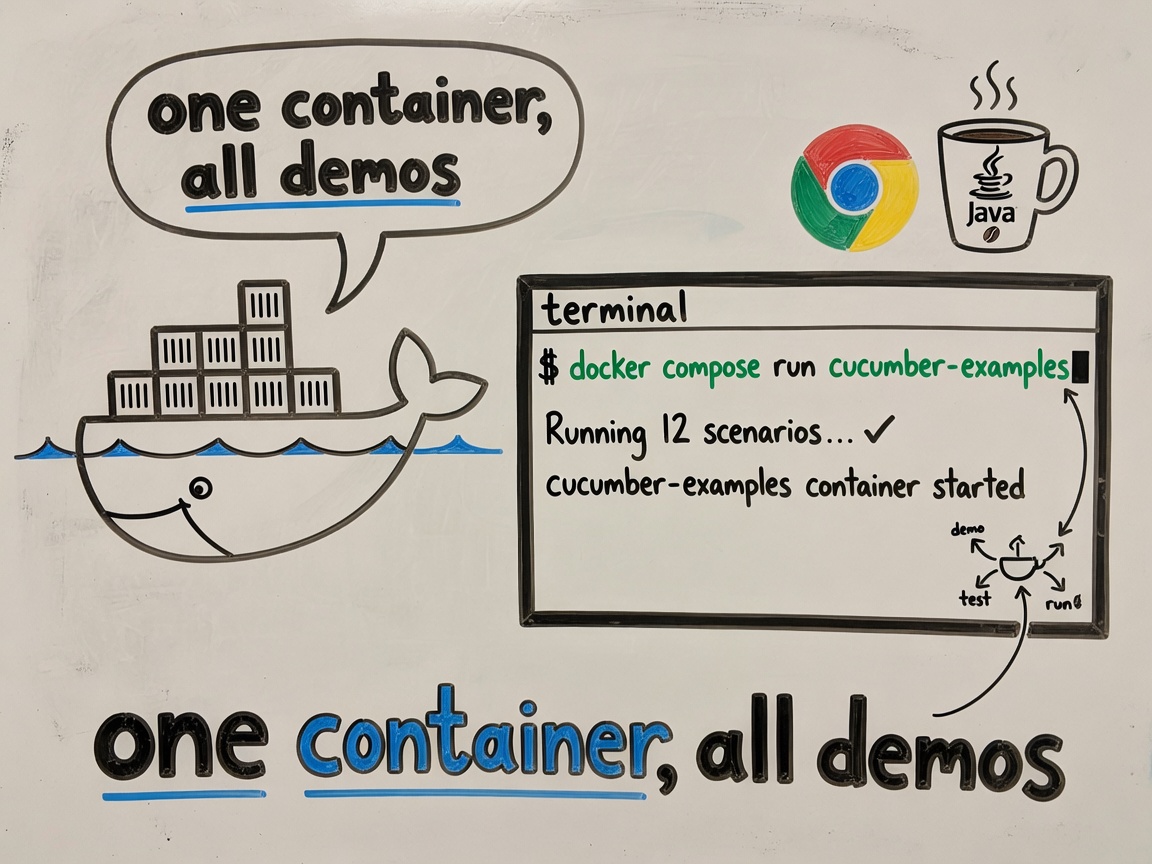
Bump shm_size in compose if Chrome throws a tantrum — same fix as the troubleshooting table below.
What to expect
Good fit:
- Clone-and-run Java BDD with real structure
- Parallel scenarios without hand-rolling threads
- A
mvnwwrapper so you don’t need a global Maven install - Local web-pattern examples (tables, files, PDF, QR) without flaky external sites
- MCP playbook for agent-driven exploration + committed Cucumber tests
- Docker path when local Chrome isn’t happening
- A path from Google demo → your application
Not a fit:
- A permanent correctness gate on google.com (Google changes markup; your framework can be fine while the demo wheezes)
- Guaranteed reproducible browser versions without pinning (WebDriverManager resolves at runtime)
For production, point tests at your AUT and pin browser versions in Setup if your pipeline demands it. PLAYBOOK.md in the repo says the quiet part out loud.
The Real Win: You Own This Now
Most BDD frameworks feel like someone else’s inheritance. This one doesn’t. Clone it, understand it in an afternoon, then build your regression suite on top. By next week, you’ll have parallel Cucumber running faster than serial ever did.
The barrier to entry for good BDD is way lower than people pretend. You don’t need a consultant or a course. You need a working example and permission to read the code. You have both now.
Troubleshooting (quick hits)
| Symptom | Likely cause | Fix |
|---|---|---|
No WebDriver set up for this thread |
@Before didn’t run |
Add framework.driver to runner glue |
| Tests run twice | Surefire picked up *Test |
Keep -DskipTests on the Maven command |
| Chromedriver version mismatch | Browser updated itself again | Re-run; pin versions if CI demands it |
| Logo locator fails | Live Google demo drift | Expected. Use your own AUT. |
| Chrome crash in CI container | Low /dev/shm |
Bump shm_size in your pipeline compose file |
Where to go next
- cucumberBDDParallel on GitHub — README, CI, examples, Docker
docs/MCP_PLAYBOOK.md— wire mcp-selenium to these fixturesexamples/web-patterns-demo/README.md— pattern matrix and commandsPLAYBOOK.md— SOLID notes, cost model, extension points- Building BDD Frameworks That Actually Work — Gherkin habits that won’t embarrass you in refinement
Parallel BDD doesn’t have to be a senior-engineer-only club. Clone it. Run one feature file end to end. Swap Google for your app.
And if something confuses you, open an issue on the repo. Good frameworks get better when beginners tell you exactly where they tripped — preferably with logs, not just vibes.
Sources & Further Reading
- cucumberBDDParallel — the framework this post walks through.
- Cucumber, BDD — what the scenarios are for.
- Selenium WebDriver — the browser driver under the Java examples.
- Cucable — how the scenarios get split so they can run side by side.
Add a thought
The writing box stays shut until the code matches. A note you save shows up under this article on this browser. It is not emailed. Posting it for everyone opens GitHub, which asks you to sign in.